A loan with its whole story
The collection trail mixes calls, visits, reminders and system events, so anyone who opens a loan can see who held it, what was promised and what has happened since.
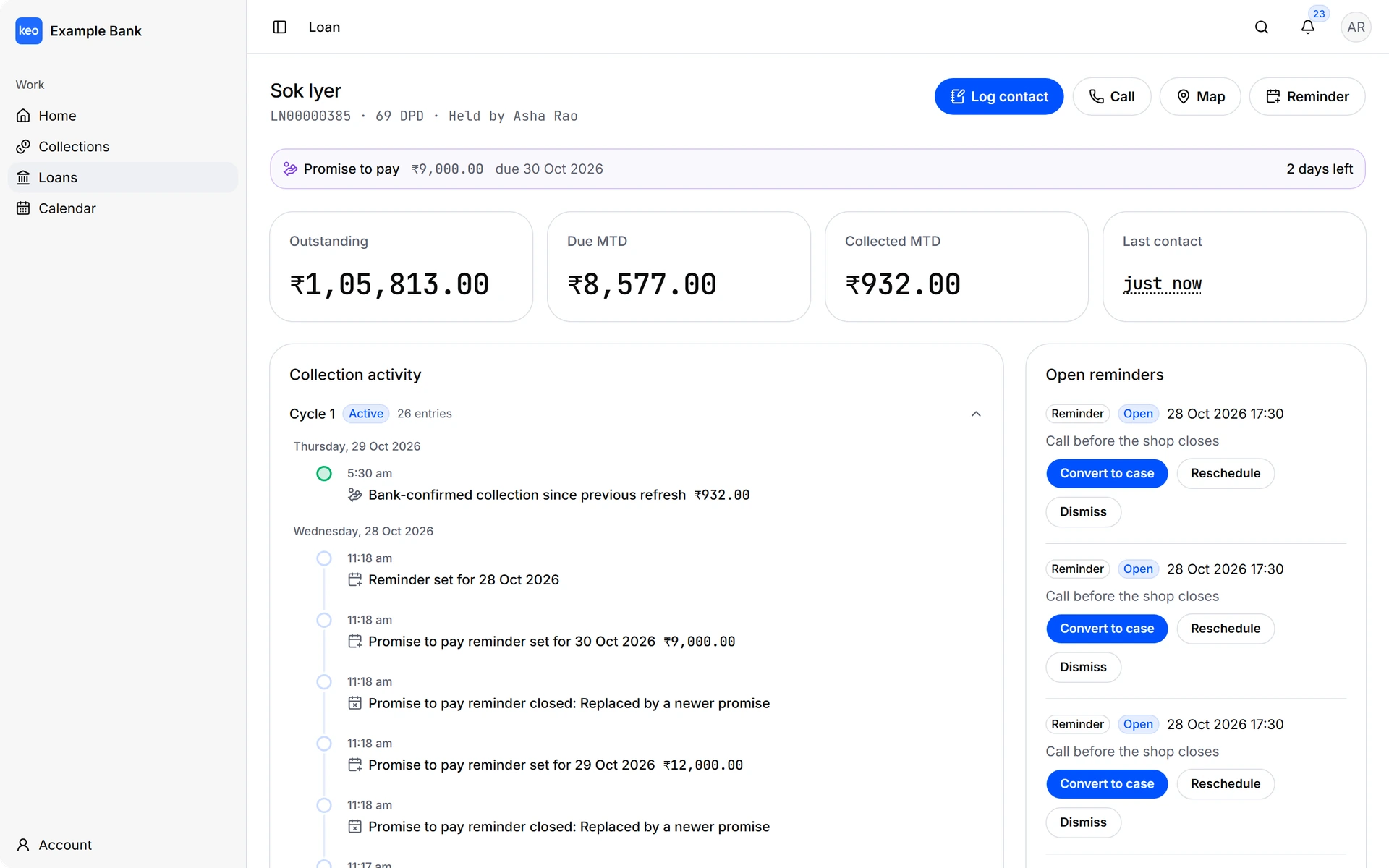
keoTM turns the daily loan feed into collection cycles that your teams can work.
Self-hosted or hosted by gycs, with one deployment for each bank.
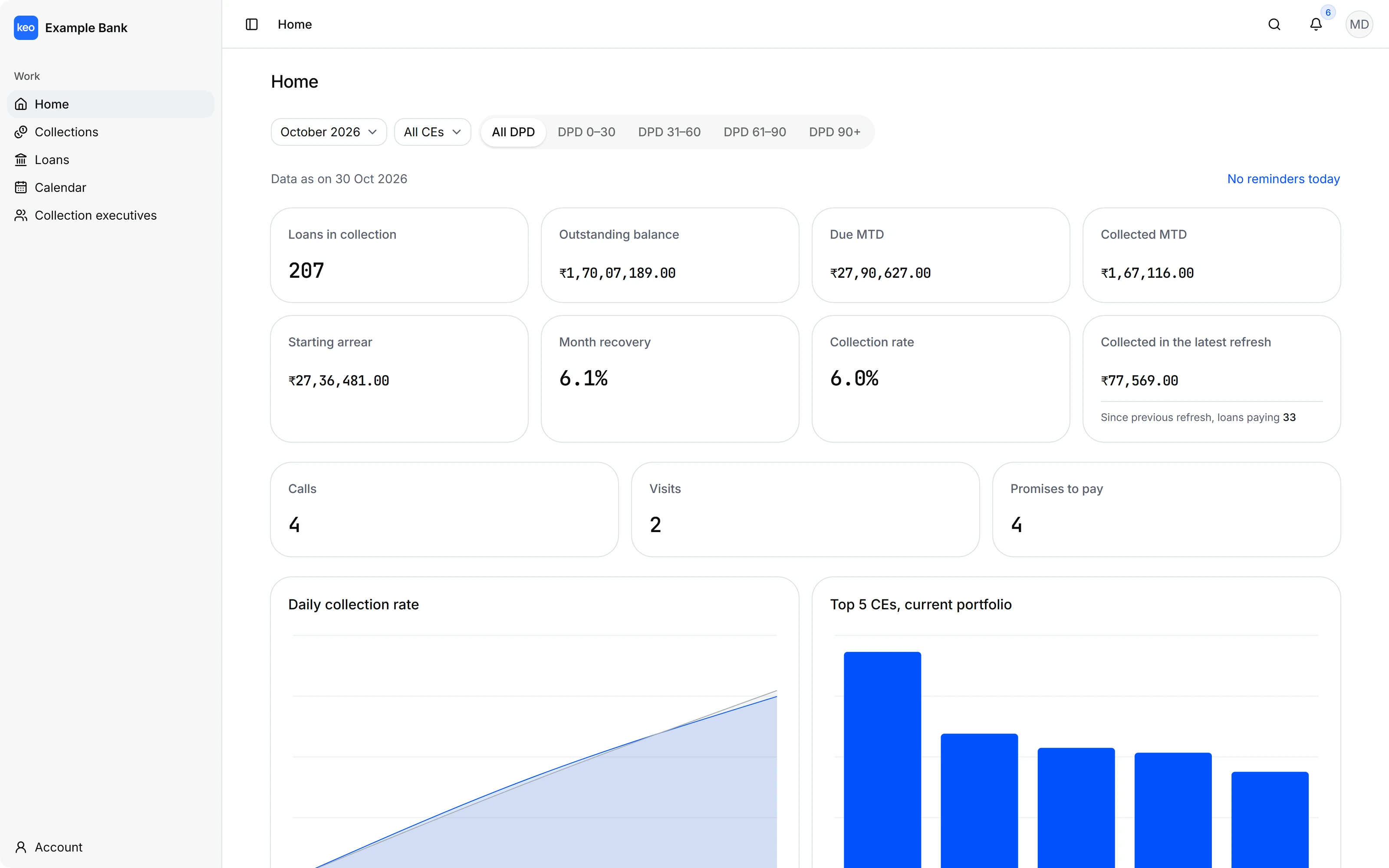
keoTM reads the whole daily feed every morning, so each branch starts the day knowing who owns which loan.
The bank's own data decides what needs collecting, and keoTM gives people a clear way to do the work.
Each collection cycle belongs to one person at a time, and reassigning it keeps the earlier holders and their notes in the record.
A loan with days past due opens a cycle, a clean row resolves it, and a loan missing from the feed exits without keoTM guessing at the outcome.
Executives log calls and visits, plan reminders on a calendar and add them to Google Calendar with a plain link.
Calling hours, visit distance and branch time zones live in the bank's own configuration instead of being fixed for every customer.
Every screen here comes from the keoTM web app, filled with made-up data for a fictional bank.
The collection trail mixes calls, visits, reminders and system events, so anyone who opens a loan can see who held it, what was promised and what has happened since.
Reminders that are due today sit at the top of an executive's home, ahead of the portfolio figures, which are always labeled as the current portfolio.
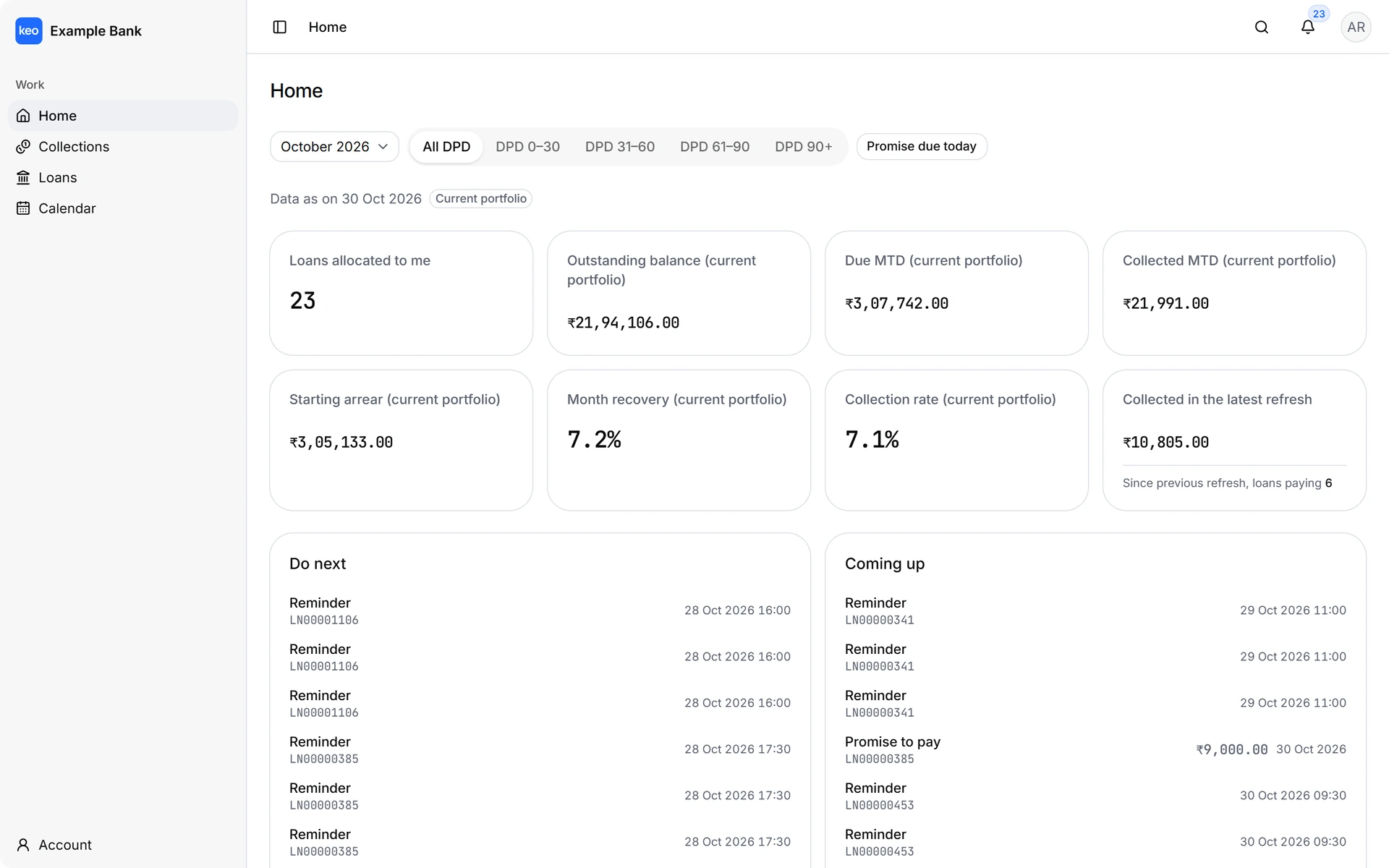
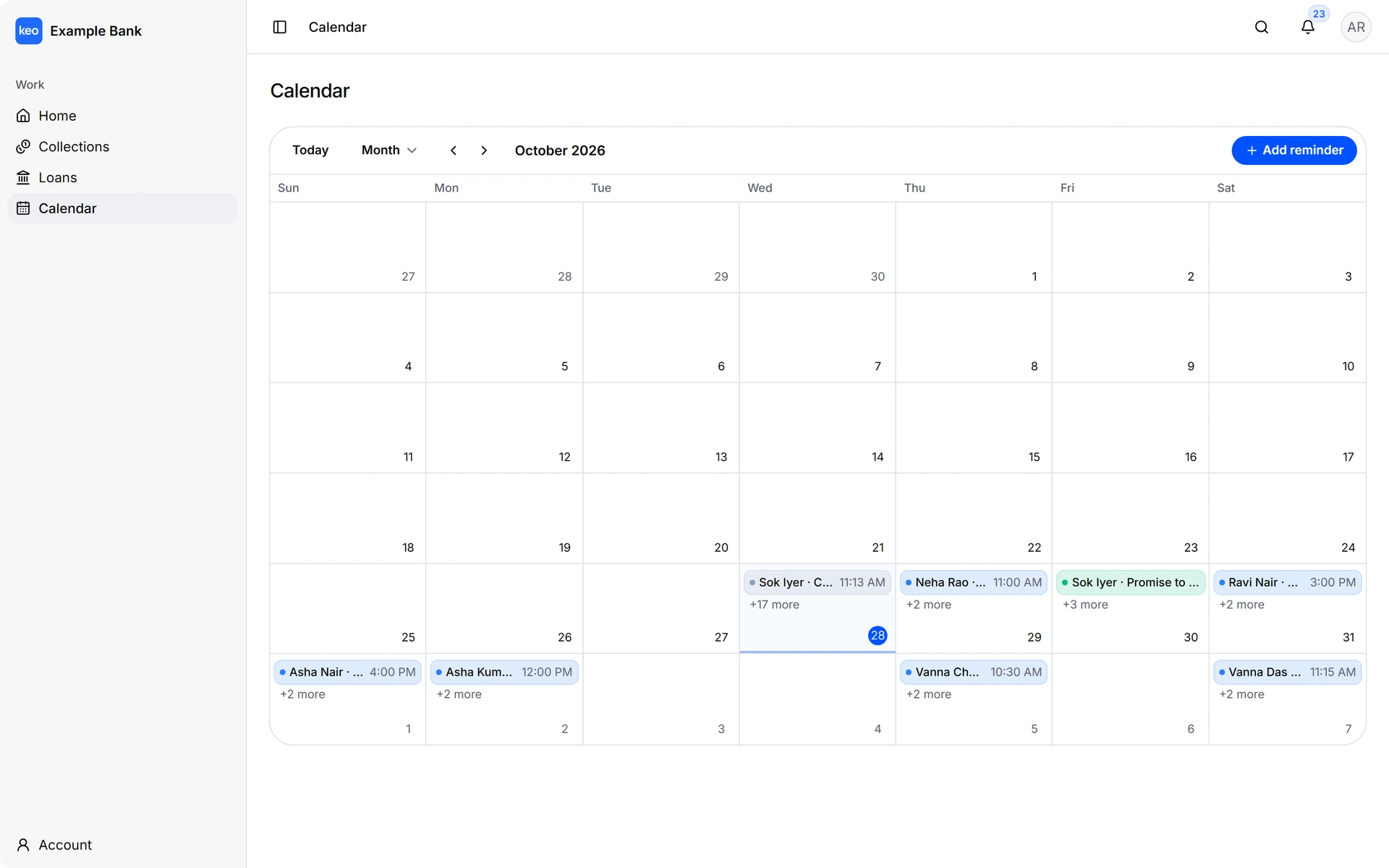
A future day creates a reminder and a past or present day logs a contact, so planning the work and recording it happen in the same place.
Access follows the staff roster, so each person sees exactly the part of the book that is theirs.
The Collection Head sees the whole bank. They follow bank-wide analytics, onboard the daily data through CSV imports or an ETL staging database, manage the staff roster and check system health.
The Branch Manager sees one branch. They review the loan book, assign a Collection Executive to each loan one at a time, take loans themselves when needed and follow the branch ranking against the bank.
The Collection Executive sees their own work. They log calls and visits with outcomes, promises to pay and payment claims, plan follow-ups on a calendar and open the customer's phone or location in one tap.
Both options are the same product, with one deployment and one database for a single bank.
Something else you would like to know? Ask us when you book a demo.
No. The bank's own rule engine decides, and keoTM reads the result from the daily feed. keoTM only detects collection cycles from that data, so the feed is the single integration point whichever engine produced it.
In your bank's own deployment. With the self-hosted option it stays on your infrastructure and in your database, and with the hosted option gycs runs a dedicated database for your bank alone.
Through the bank's identity provider with OIDC or SAML, or with a password. Every person must also be an active member of the staff roster, which decides their role and branch.
Nobody, on purpose. Executive figures use each person's current portfolio and are labeled that way, because keoTM does not keep a collection ledger that could assign a payment to whoever held the loan at the time.
A daily loan feed, either as CSV files or through a read-only ETL staging database, together with the branch, branch manager and executive rosters. keoTM provides templates for each file.
The terms depend on the deployment option and the size of the bank. Book a demo and we will walk through both together.
Tell us about your bank and your role. We will call or write to arrange a walkthrough of keoTM with demo data, covering the daily feed, the three roles and how a deployment would run for you.